Agent
What an agent is
In EfficientAI, an agent is the system under test. It captures the conversation context, the prompt behavior, and the execution path used for every evaluation run.
An agent can point at one of two execution paths: internal (EfficientAI voice bundle) or external (provider platform mapping).
Use the internal path when you want to isolate and A/B individual model layers. Use the external path when you want to evaluate the exact agent that serves production traffic on a provider platform.
Telephony vs WebRTC
Every agent is also tested over one of two call mediums, set by the phone_call / web_call
medium field.
Telephony (phone_call) | WebRTC (web_call) | |
|---|---|---|
| Transport | PSTN through a telephony provider and carrier webhooks | Browser-style real-time streaming over WebSockets |
| Requires | Phone numbers, carrier routing, telephony credentials | No phone network dependency |
| Use when | Production depends on real phone behavior, DTMF, carrier latency and codecs | Your experience is browser-native |
Both mediums are evaluated with the same personas, scenarios, and metrics. They differ only in call transport and the integration setup they require, so scores stay comparable across the two as long as you don't mix mediums inside one comparison.
Configure an agent
What you configure
- Agent identity (name, language)
- Call type and medium (
inbound/outbound,phone_call/web_call) - Internal voice bundle mapping
- External voice-platform mapping (integration + provider agent ID)
- Test prompt and provider prompt surfaces
Creating a test agent
Use Create Test Agent to add a new evaluation configuration. You can create either:
- Telephony agents for PSTN call flows.
- Existing Platform Integration agents for Retell, Vapi, ElevenLabs, and other external providers.
For both paths, you configure the production-side prompt and a complementary test prompt that EfficientAI uses during evaluations.
Prompt surfaces
provider_prompt: production prompt used by the external/system agent.description: test prompt generated or authored for evaluator-driven simulations.
Use Generate test prompt to bootstrap the test prompt from your production prompt, then refine it for coverage and repeatability.
Recommended flow
- Create a voice bundle and required integrations — see Setup.
- Create a test agent.
- Attach personas and scenarios through evaluation suites.
See also: How It Works for how the agent connects to the rest of the object model.
How to set up an agent
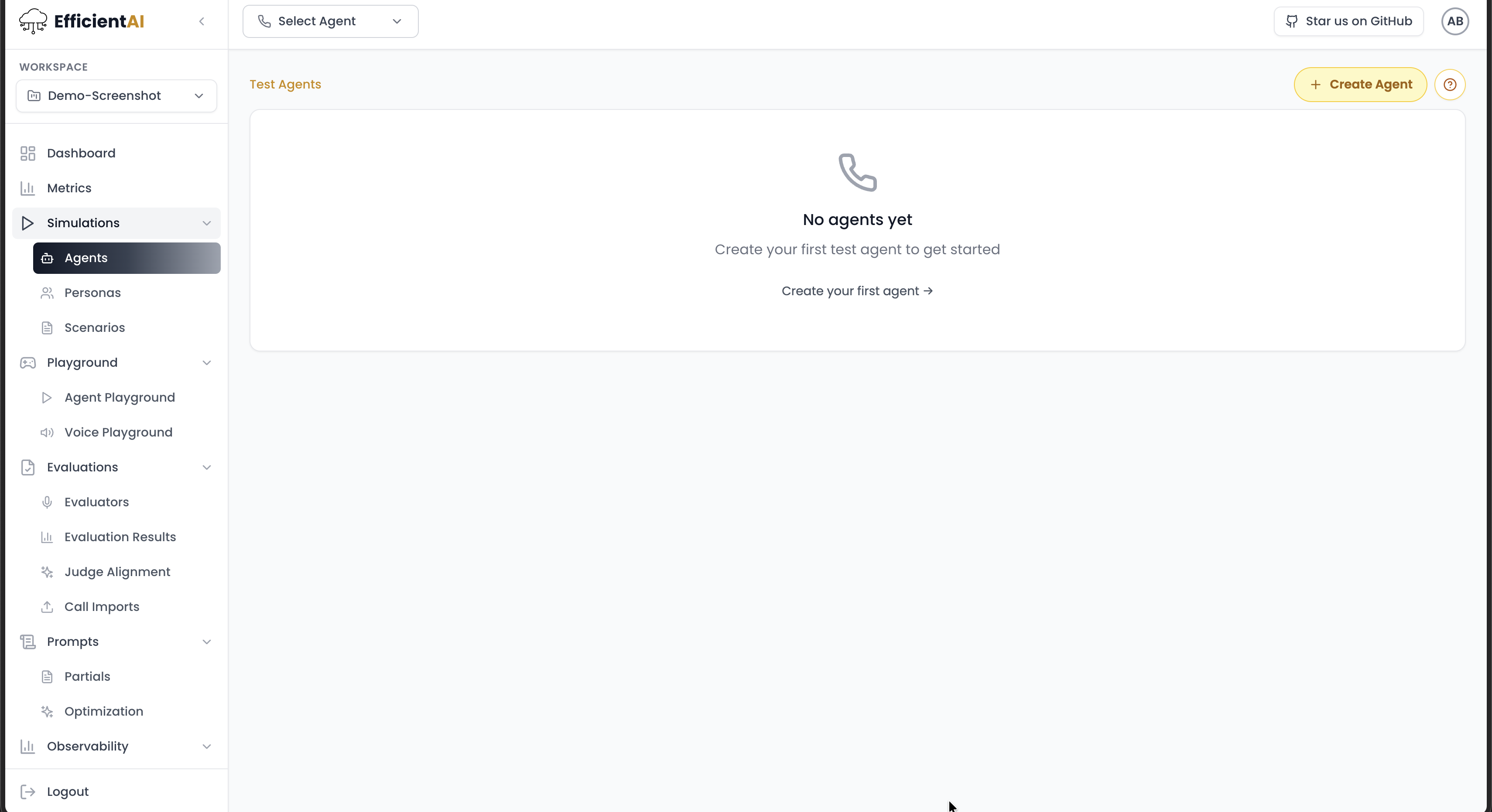
- Go to Simulations > Agents in the left navigation.
- Click Create Agent in the top-right.
If you choose telephony
Enter:
- Name
- Phone number
- Language (the language EfficientAI uses with your bot)
- Call type (
outboundorinbound) - End call after silence (how many silence seconds before hang up)
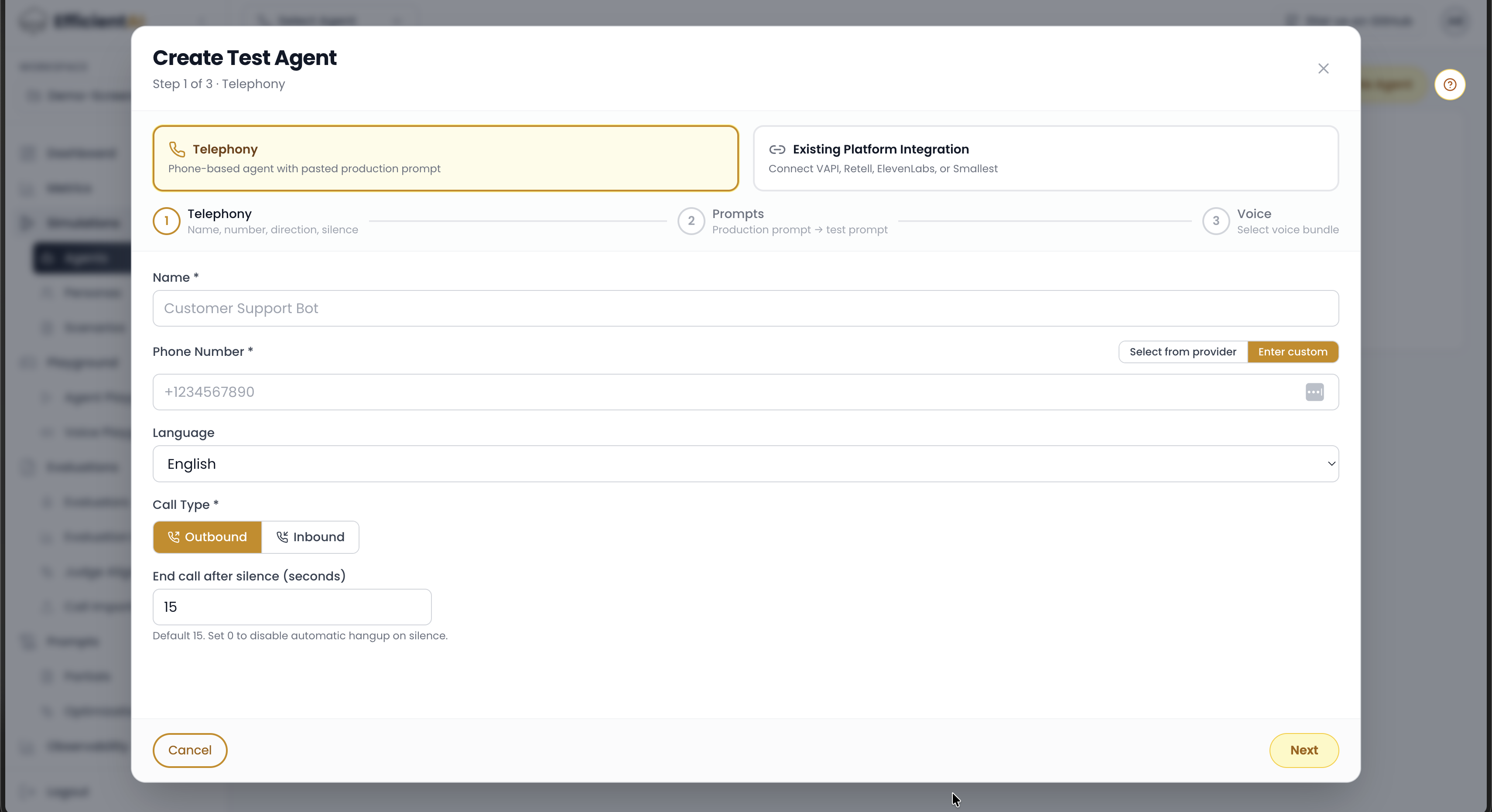
Then configure your phone integration in Integrations.
If you choose web agent
- Enter the agent name.
- Open your provider (Vapi, ElevenLabs, Retell, Smallest, and others).
- Click Connect so EfficientAI can fetch available provider agent IDs.
- If needed, enter the provider agent ID manually.
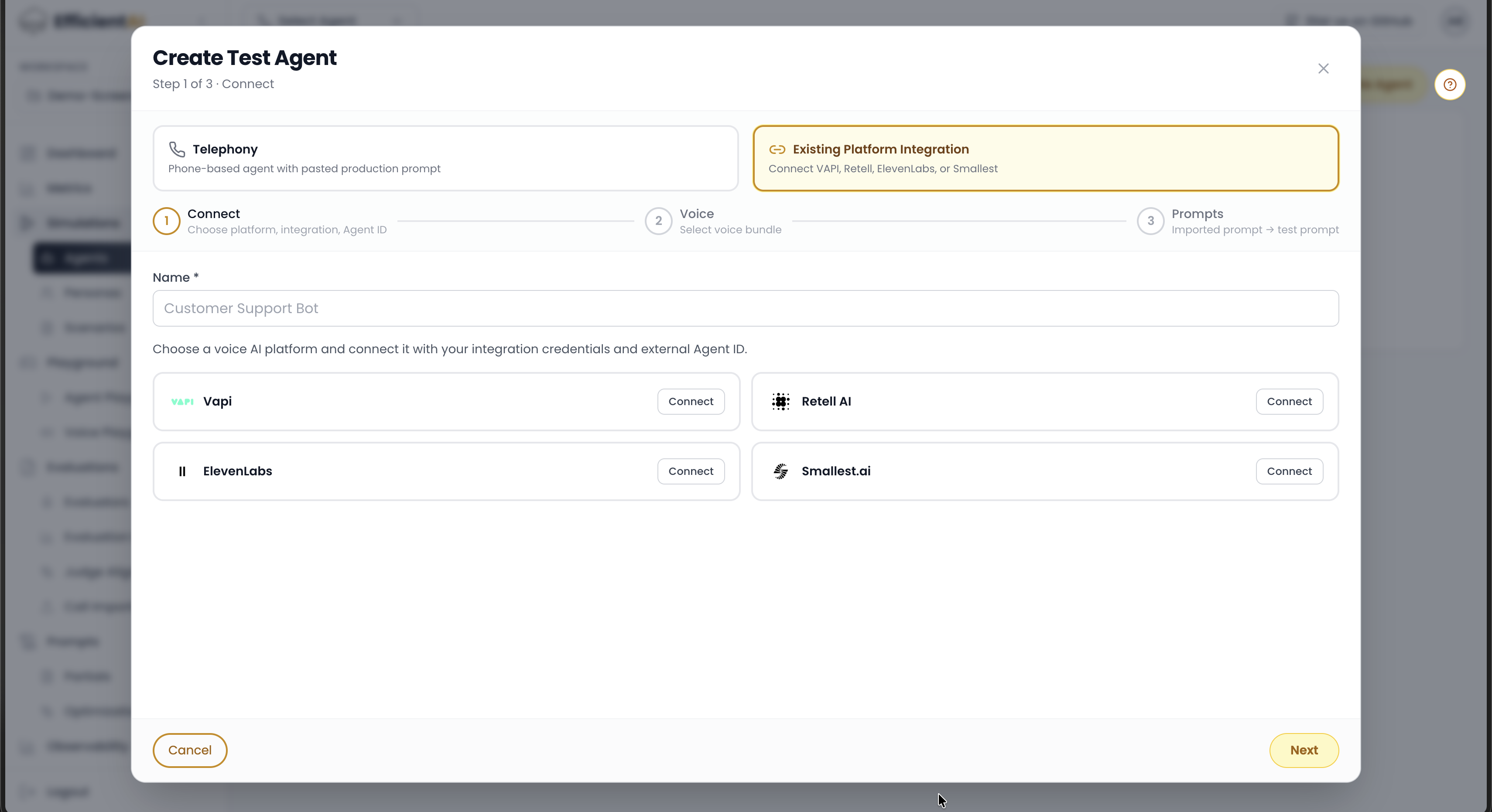
If your provider is missing, open an issue on GitHub.
Prompt setup
You can either:
- Paste your production prompt and use Generate test prompt with provider/model/context settings to produce an adversarial prompt, or
- Write the test prompt manually.
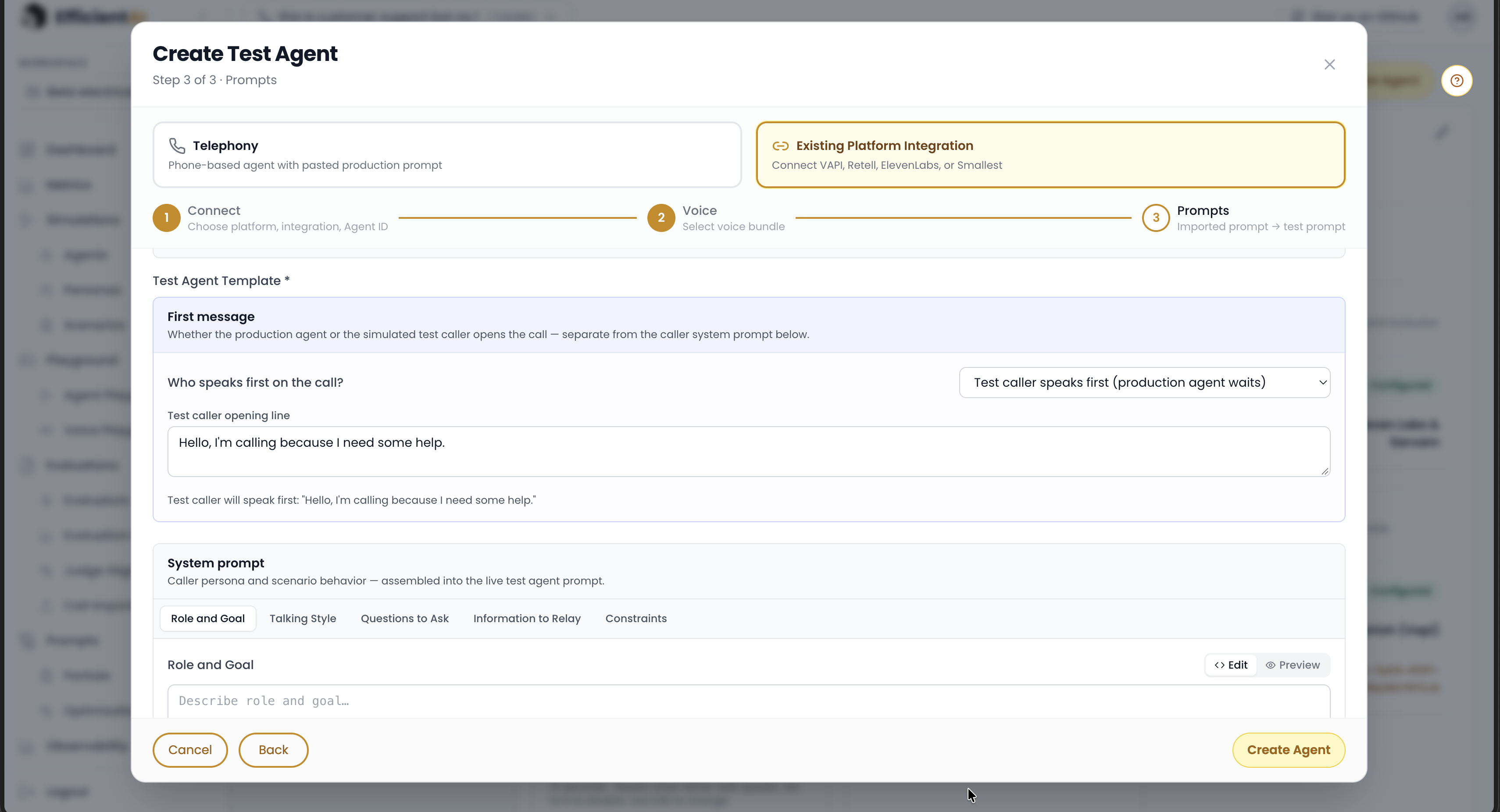
For first message behavior, choose:
- Production agent speaks first (default)
- Test caller speaks first (the EfficientAI test agent starts)
For the EfficientAI system prompt, define:
- Role and goal
- Talking style
- Questions to ask
- Information to relay
- Constraints
Voice bundle
For voice bundle setup, see Setup and Persona.
Create the agent to finish setup. Editing flow and custom agent testing docs are coming soon.
Community & contact
- Found a bug or have a feature request? Open a GitHub issue.
- Join our Discord for faster replies!