Playground
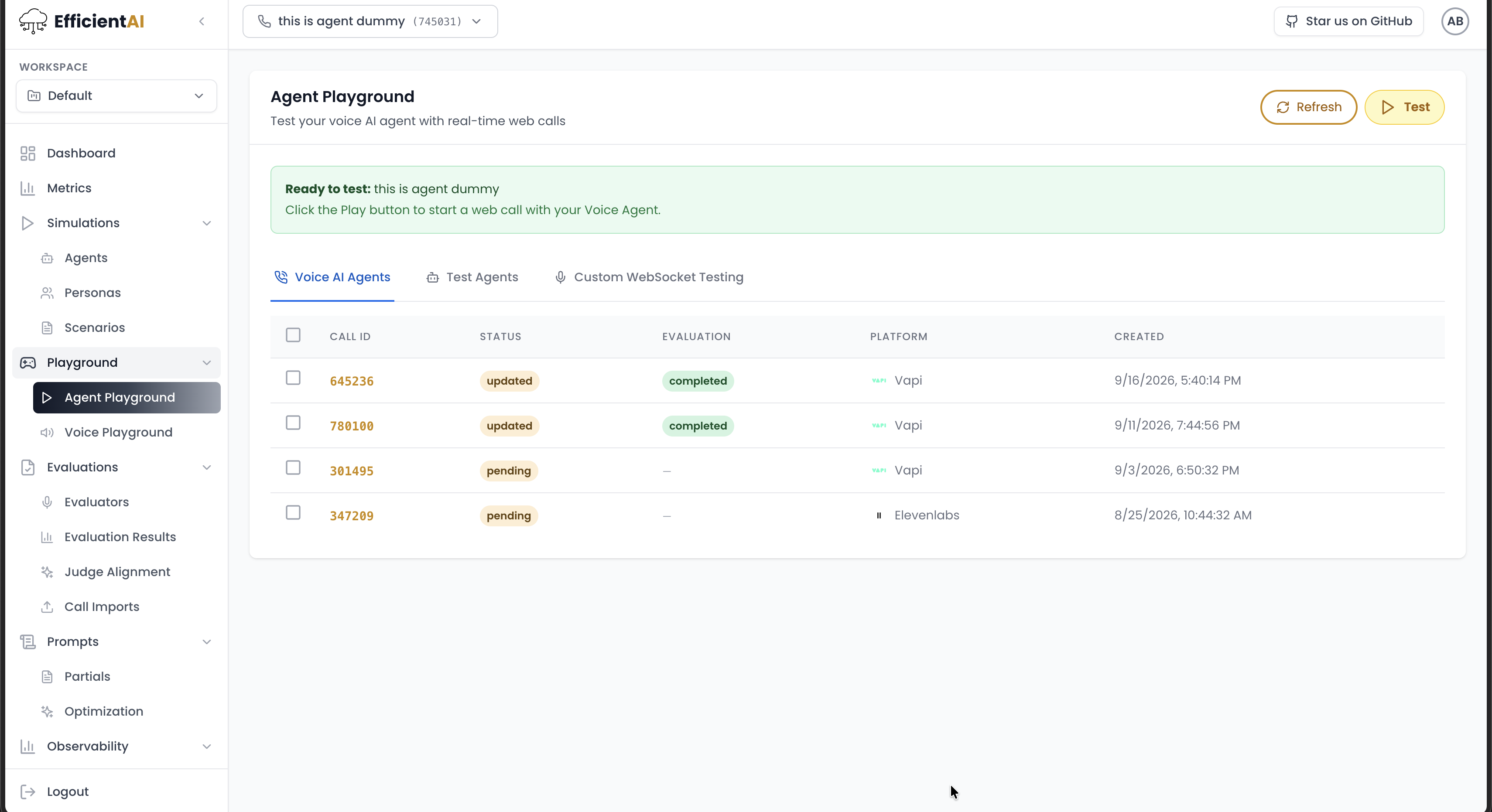
Agent Playground is a real-time environment to validate connectivity before running larger simulated evaluations.
What it does
From one place, you can:
- Start live tests
- Monitor call/test status
- Inspect transcripts and recordings
- Compare test-agent and voice-agent behavior
Test modes
Voice AI Agent mode
Uses external provider configuration and runs a live web call against your provider-side agent.
Supported providers commonly include Retell, Vapi, and ElevenLabs.
Typical flow:
- Create a web call with the selected agent.
- Connect through provider session/client.
- Store call recording metadata.
- Poll provider call details (status, transcript, audio).
- Create evaluator result and run metrics.
Test Agent mode
Uses the internal EfficientAI voice path with your configured voice bundle. This is useful for controlled comparisons of STT, LLM, and TTS choices.
Prerequisites
For external live web-call testing:
call_medium: web_callvoice_ai_integration_idconfiguredvoice_ai_agent_idconfigured
For richer playback/storage workflows, ensure storage is configured in Setup.
How to test in Agent Playground
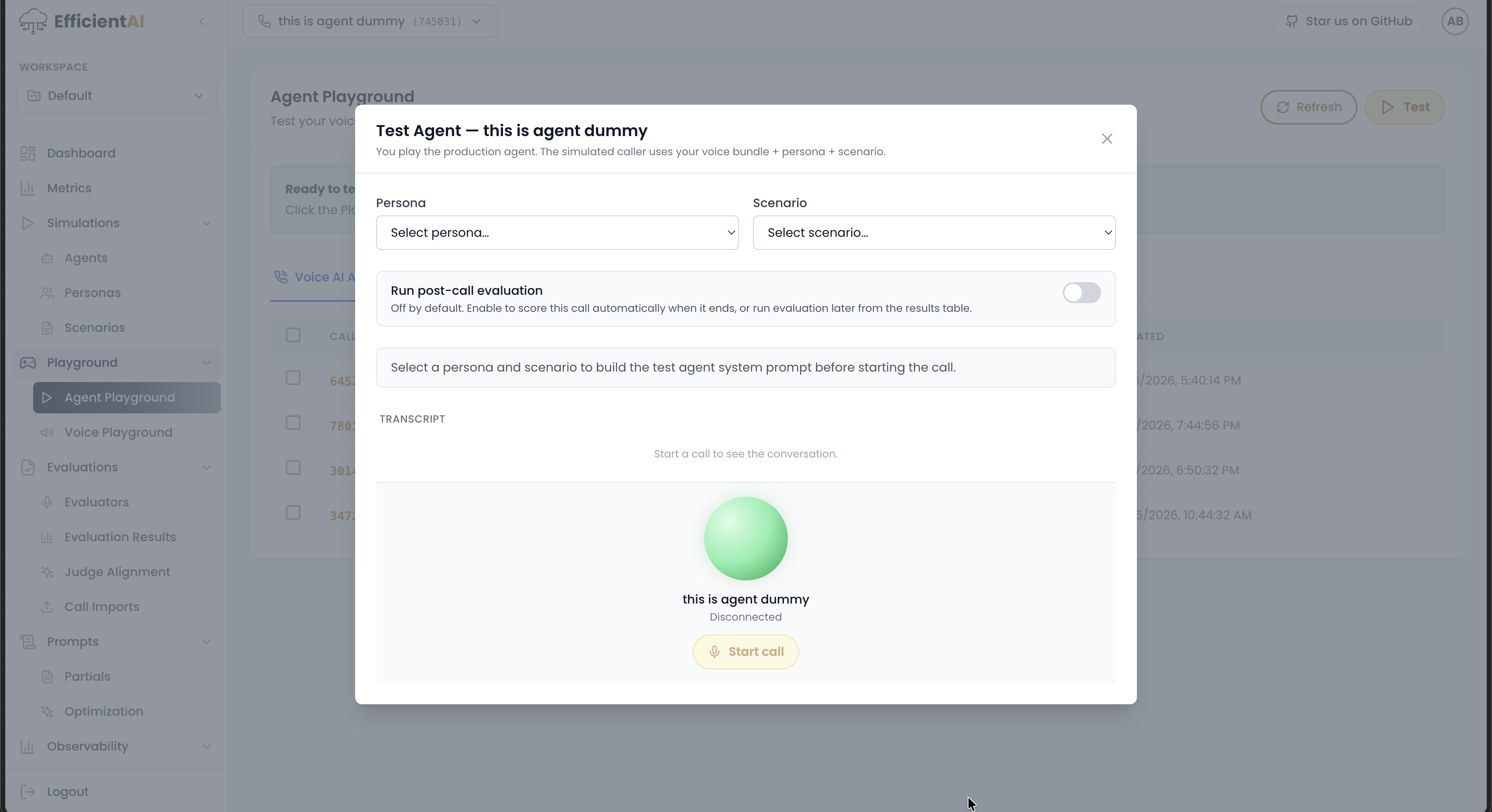
Agent Playground lets you test either the EfficientAI test agent or your own voice AI agent.
Test the EfficientAI test agent
Method 1:
- Go to Simulations > Agents.
- Click Test Agent.
- Start speaking with the EfficientAI test agent.
Method 2:
- Go to Playground > Agent Playground.
- Click Test Agent.
- Start speaking with the EfficientAI test agent.
Test your voice AI agent
Method 1:
- Go to Simulations > Agents.
- Click Voice Agent.
- Start speaking with your voice AI agent.
Method 2:
- Go to Playground > Agent Playground.
- Click Voice Agent.
- Start speaking with your voice AI agent.
Community & contact
- Found a bug or have a feature request? Open a GitHub issue.
- Join our Discord for faster replies!