
Scenario
What a scenario is
A scenario defines the goal and context for a conversation test. Where a persona says who is calling, the scenario says why they are calling and what a good outcome looks like.
The scenario feeds two places at once: it shapes the simulation prompt that drives the caller,
and its required_info gives the metric engine concrete expectations to validate against. That
is what keeps scoring consistent across repeated runs while the conversation itself still flows
naturally.
Configure a scenario
Creation paths
- Generate from agent prompt
- Generate from call data
- Create manually
Scenario structure
| Field | Description |
|---|---|
name | Scenario title. |
description | Conversation intent, flow, and success expectation. |
required_info | Structured key/value expectations for validation. |
agent_id | Optional linked agent for context and filtering. |
Recommended flow
- Write or generate scenario descriptions.
- Add required success information where needed.
- Link scenarios to target agents.
- Use scenarios in evaluation suites.
See also: How It Works for how scenarios expand into run combinations.
How to create a scenario
- Go to Simulations > Scenarios.
- Click Create Scenario on the top-right.
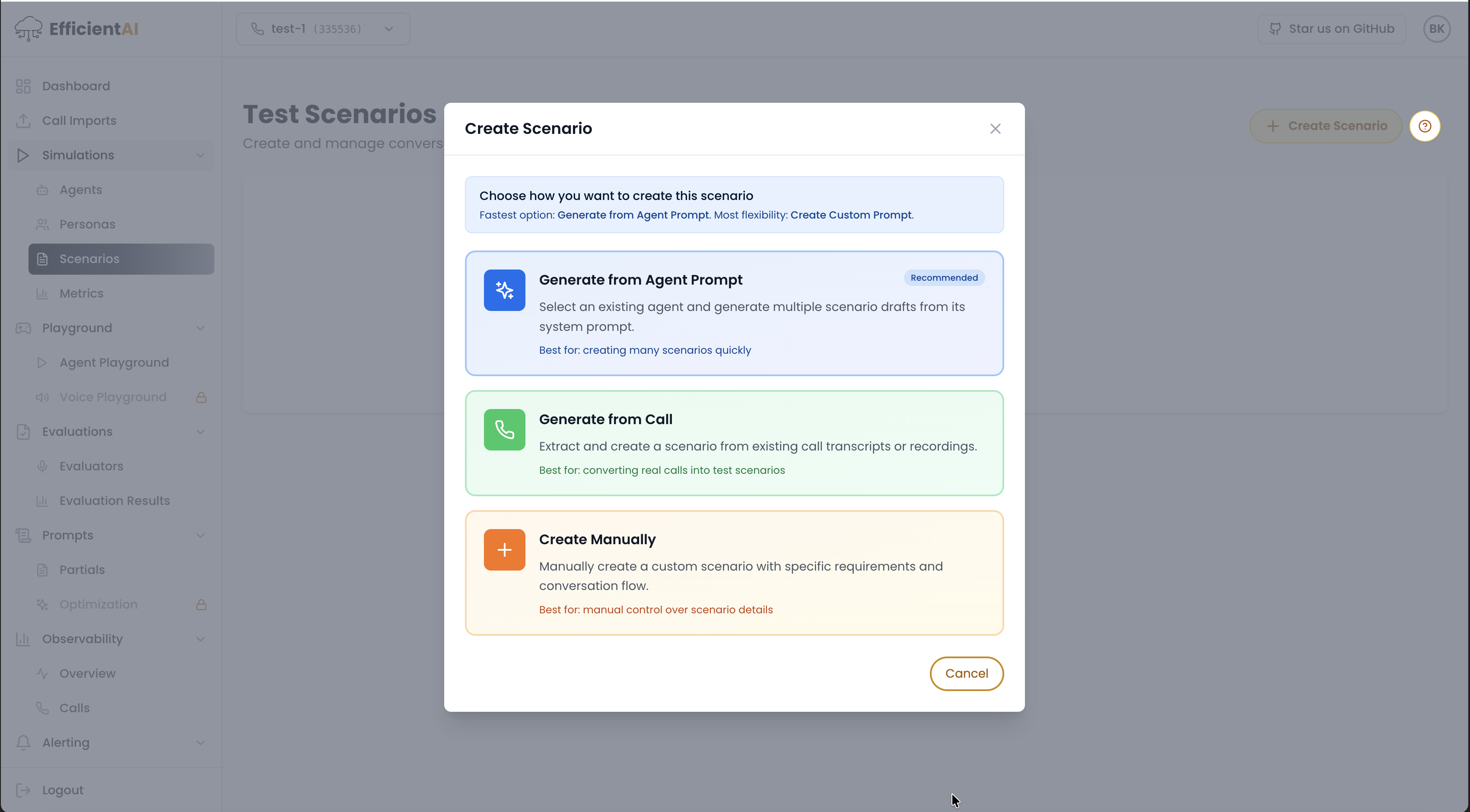
EfficientAI supports three creation paths:
A) Generate from test agent
- Select the target agent.
- Choose how many scenarios to generate.
- Select AI provider.
- Select model.
- Click Generate.
B) Generate from calls
This path is currently in beta.
C) Generate manually
- Enter scenario name.
- Link the scenario to an agent.
- Enter manual description or paste the agent prompt.
Community & contact
- Found a bug or have a feature request? Open a GitHub issue.
- Join our Discord for faster replies!