Setup
Use this page to configure the foundational platform prerequisites before creating test assets.
1) BYOK and provider credentials
Configure integrations for voice platforms, model providers, and telephony providers.
See: Integrations
At minimum, most teams configure:
- one voice platform integration (if using external agents),
- one or more AI model providers (LLM/STT/TTS),
- telephony credentials for phone-call workflows.
2) Voice bundles
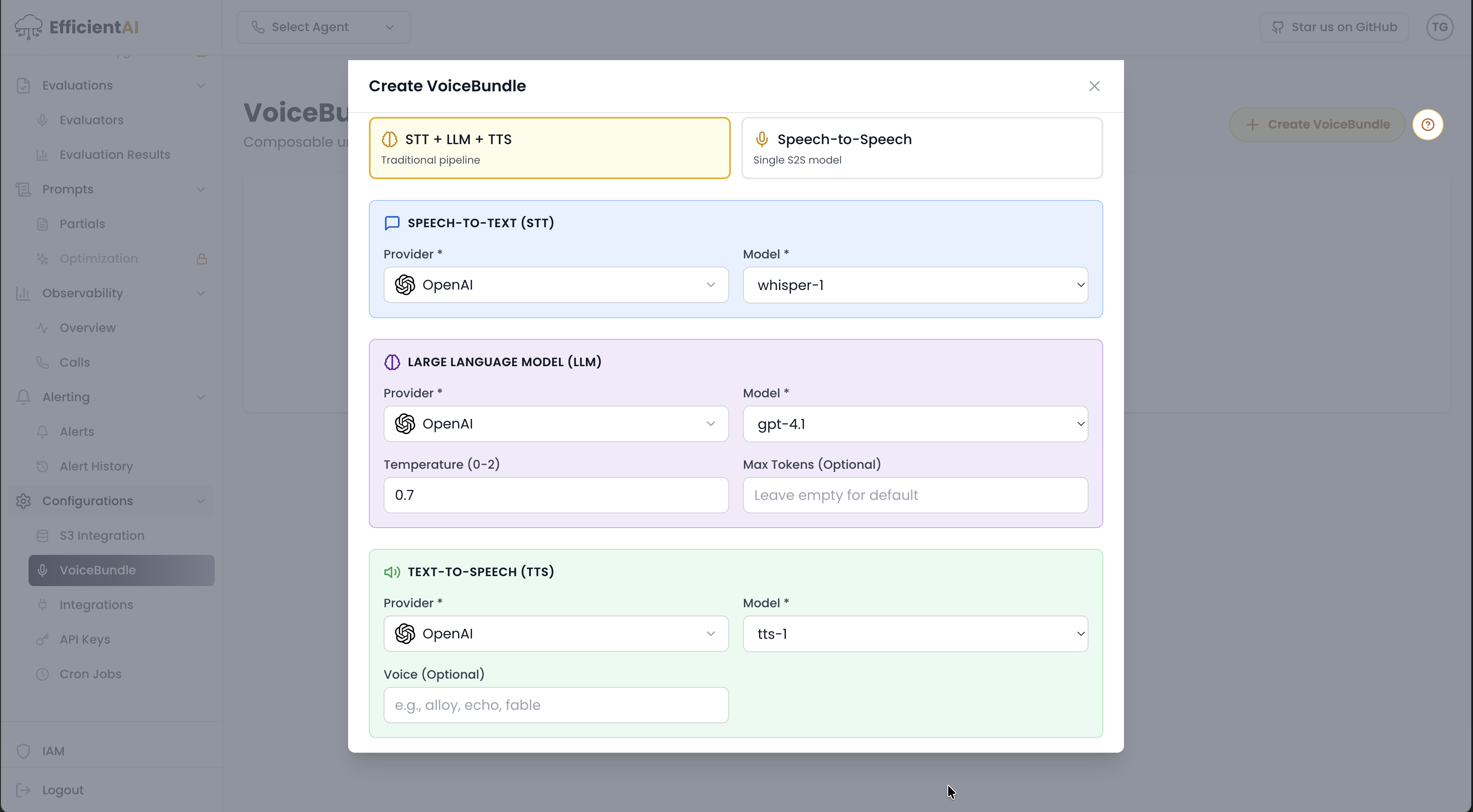
The STT, LLM, and TTS pipeline
A voice bundle is a pipeline built from three model layers:
- STT (Speech-to-Text): converts incoming audio to text.
- LLM (Language Model): generates the reasoning and response text.
- TTS (Text-to-Speech): converts the response text back to audio.
Each layer is configurable, so you can hold the agent behavior constant and test it across different model and provider combinations — swapping only the STT provider, for example, and attributing the score change to that layer alone.
Create a bundle
Create voice bundles for controlled internal testing paths:
- STT + LLM + TTS bundles
- S2S (speech-to-speech) bundles, where enabled, which collapse the three layers into one model
Bundles help you run stable, repeatable test-agent evaluations even when external providers change behavior over time.
3) Cloud storage
Set up object storage for recordings and audio assets:
- S3 and S3-compatible providers
- Google Cloud Storage
- Azure Blob Storage
See: Configuration
Use cloud storage when you need durable recording retention, larger media throughput, or integration with existing data infrastructure.
4) Authentication and enterprise SSO
Choose auth providers for local or enterprise usage.
See: Enterprise
For a full open-source vs enterprise feature breakdown, see the Enterprise comparison.
Setup checklist
- Integrations connected and verified
- Voice bundle created
- Storage configured
- Auth mode confirmed
- First agent ready for evaluation
Community & contact
- Found a bug or have a feature request? Open a GitHub issue.
- Join our Discord for faster replies!